FOR TATTOO STUDIOS
More clients. Happier clients. Less admin.
Get discovered earlier. Help clients choose confidently. Make more time for tattooing.
InkSimulator helps people explore tattoo ideas, try size and placement on their own body, and find a studio.
Give clients more ways to discover your work. Keep enquiries, sketches, bookings and payments together, with Fortnox integration to reduce manual bookkeeping.
299 SEK/month + 5% on bookings and design sales.
From Think it to Ink it.
More ways to find you
Reach people exploring their next tattoo, with a public studio profile that can be discovered through InkSimulator, search engines and AI services.
Better-prepared clients
Let clients explore size and placement before the appointment, giving you a clearer starting point for a result they feel happy with.
Less work around the tattoo
Reduce scattered messages, scheduling back-and-forth and manual payment entries.
MORE CLIENTS
Their next tattoo can lead them to your studio.
Some people know what they want but haven’t chosen an artist. Others are still exploring.
InkSimulator lets them discover designs, try tattoos on their own body and find studios by style and location. Your work can become part of the decision before they choose who will tattoo them.
A design, reference or preview gives you a clearer starting point. You can discuss what will work, develop the idea and guide the client towards a booking.
Start with something more concrete than “I’m thinking about a tattoo.”
Through your work
Your designs and gallery show people your style and help them decide whether you’re the right artist for their idea.
Through your location and styles
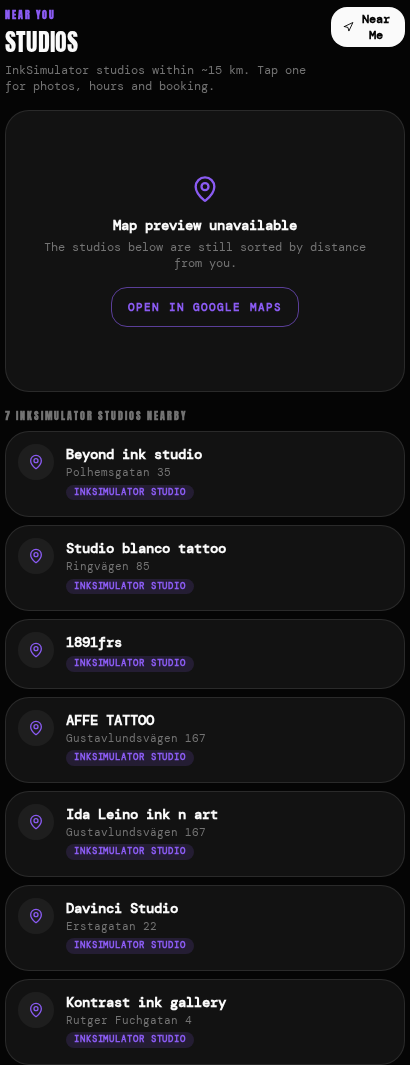
Studio search and map discovery help people find relevant artists nearby.
From an idea to an enquiry
People can explore a tattoo, find your studio and send their idea and preview to start a conversation.
- 1. Explore a tattoo
- 2. Find your studio
- 3. Send an enquiry
- 4. Agree the next step
A booking calendar helps once someone has chosen you. InkSimulator also helps you get discovered while that choice is still being made.
HAPPIER CLIENTS
You want them to love the tattoo — including its size and placement.
A client can love your artwork and still wish they’d chosen a different size or placed it slightly higher.
Give them the opportunity to explore those decisions before the appointment, with time to compare and think.
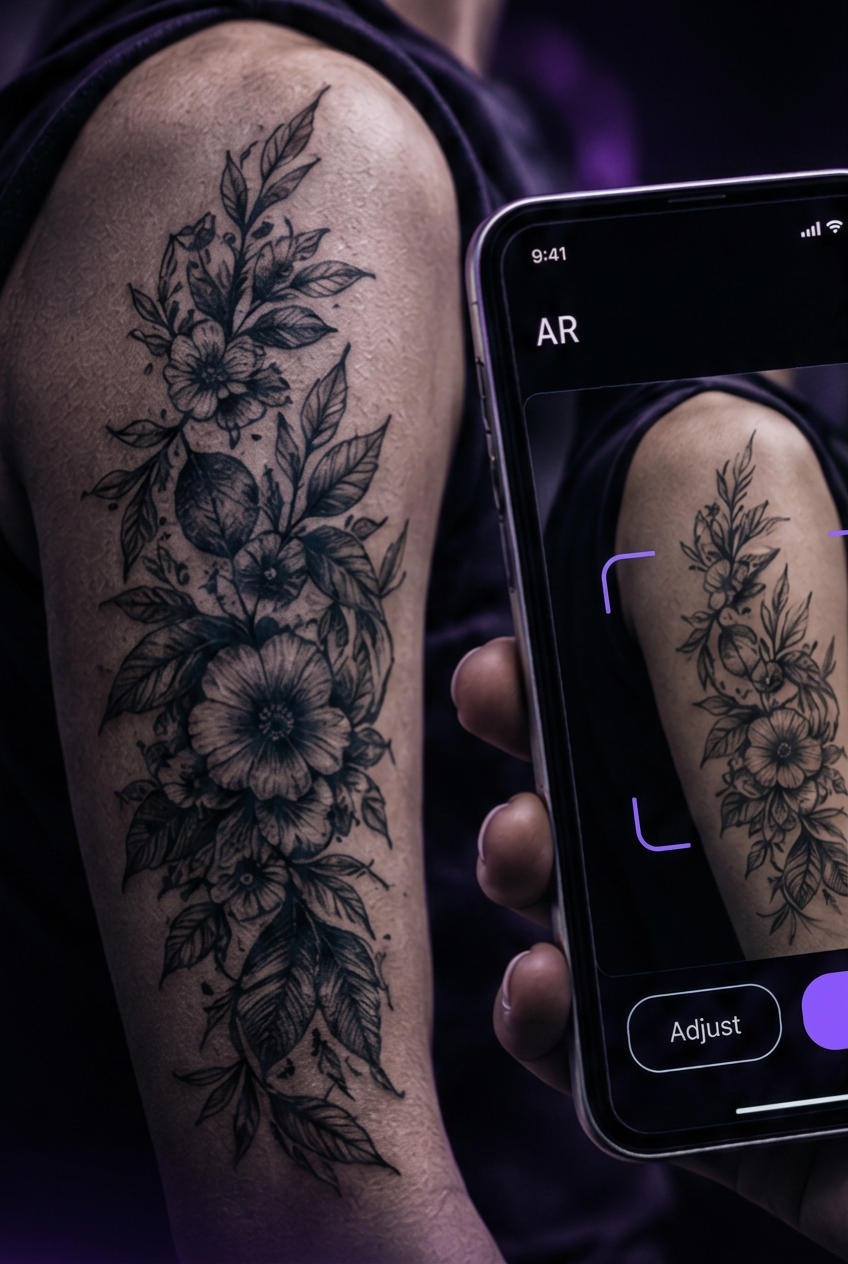
InkSimulator lets clients preview the design on their own body, adjust its size and placement, and show you what they have in mind.
The best time to rethink the size is before it’s permanent.
A clearer idea of what they want. A better conversation about what works.
The client can explain their preferences visually. You can use your experience to advise on proportions, detail and placement.
That shared understanding helps align expectations before you begin — giving you a stronger foundation for a result they feel happy with.
For the client
More confidence in how the design looks on their body.
For the artist
A clearer understanding of what the client expects.
For the visit
A shared starting point for confirming the final design, size and placement.
Help clients feel good about the whole decision, not just the design.
A STRONGER ONLINE PRESENCE
Give your studio another digital front door.
Make your work easier to discover — without taking on a website rebuild.
Your work deserves to be easy to find, even if your website hasn’t been updated in years.
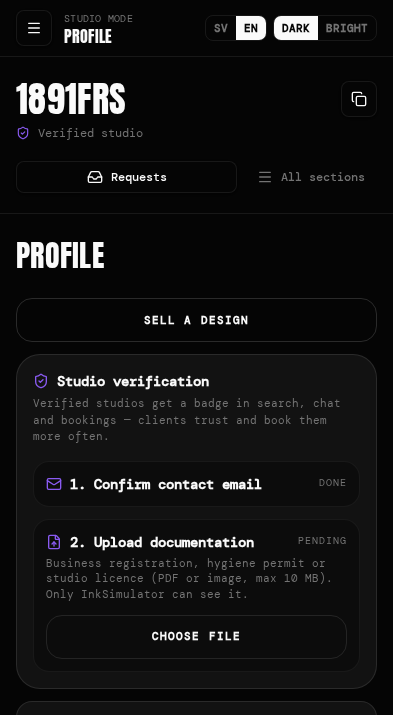
Your InkSimulator profile brings your artists, styles, location and work together, with a clear route to an enquiry or booking. It complements your existing website and social channels.
Your work. Your studio. More ways to reach your chair.
When someone asks an AI to find a tattoo artist, give it useful information to work with.
Clear information about your styles, location, artists and booking process helps supported AI services assess whether your studio matches what a client wants.
InkSimulator makes that information and the available booking routes accessible without your studio having to build a separate AI integration.
A dedicated page for your studio
Give potential clients one place to explore your work, understand what you offer and get in touch.
More opportunities to appear in search
Your public profile gives Google and AI search services another source of information about your studio, its location and its tattoo styles.
Ready for AI-assisted discovery and booking
InkSimulator provides structured studio information and booking routes designed for supported AI services and agents to use.
Size & placement
“Would this look better smaller?” Let them see.
A design viewed on its own doesn’t show how it will sit on someone’s body.
After calibration, InkSimulator’s 1:1 AR preview displays the design at its intended real-world size. Clients can compare proportions and placements on their own body.
More clarity before the appointment. Better-informed decisions in the studio.
Compare size
See how a smaller or larger version changes the overall look.
Explore the placement
Try it higher, lower or at a different angle.
Share a preferred direction
Bring a preview into the conversation so you can advise on what will work.
Clients can explore in their own time. You confirm the final dimensions, placement and suitability together in the studio.
Stencil & time
Let the first round of “bigger or smaller?” happen before the appointment.
Trying another size. Moving the stencil. Stepping back to look again.
Those decisions deserve attention. InkSimulator gives clients a way to start exploring them before they arrive, so you have a clearer direction to work from.
Before the visit
The client explores the design on their body, compares sizes and placements, and shares a preferred direction.
At the studio
You review what they have in mind, advise on what works and confirm the final stencil together.
Use it with clients who discover you through InkSimulator and with clients who already know your studio.
Give the decision more room before the visit — and the appointment a clearer starting point.
Better preparation can mean fewer stencil adjustments and less time starting from scratch.
LESS ADMIN
Keep track of the client without tracking down the conversation.
The reference photo, the latest sketch, the agreed plan and the booking details belong together.
InkSimulator keeps them connected to the client, so you can pick up the conversation without searching through different apps.
One client. One conversation. A clearer workflow.
Find the right sketch and the right conversation
Keep enquiries, references, sketch versions and messages in the client thread.
Less searching. Clearer context when you reply.
Arrange appointments with less back-and-forth
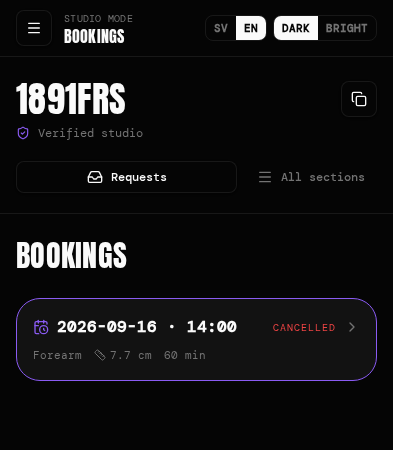
Choose the number and length of sessions, then send a booking link. The client selects an available time and pays a deposit in the app.
You set the time needed. The client chooses a slot.
Keep your schedule and incoming enquiries in view
Connect Google Calendar to reflect busy times in your availability. Receive new-enquiry notifications by SMS, email or both.
Less manual calendar checking. A clearer way to stay on top of incoming work.
LESS MANUAL BOOKKEEPING
Stop entering the same payment twice.
Save time on bookkeeping — and reduce the work you or your accountant have to handle.
Taking a payment shouldn’t create another task to finish after your last appointment.
Connect your Fortnox account so supported deposits, tattoo payments and design sales are transferred into your bookkeeping automatically. InkSimulator’s fee is recorded as a cost through the integration.
Save your own time
Reduce manual payment entries and free up time for clients, your work or the end of your day.
Reduce work for your accountant
Automatic entries can reduce transaction processing work. If you pay for that work by the hour, less manual handling may also reduce your bookkeeping costs.
Keep payments and fees accounted for
Supported transactions and platform fees are transferred through the integration, making them easier to review and follow up.
The Fortnox integration is included. A separate Fortnox subscription is required. Your bookkeeping still needs the usual review and reconciliation.
InkSimulator payment → Fortnox bookkeeping entry
Less manual entry. Less processing time. Potential savings on bookkeeping.
Booking & revenue
You decide the sessions. Your client picks a time.
Keep control of your work while making the next step straightforward for the client.
1. Review the idea
Discuss the design and what the client wants.
2. Set the appointment requirements
Choose how many sessions are needed and how long each one should be.
3. Send the booking link
The client chooses an available time and pays the deposit through the booking flow.
Three ways clients can work with you
Tattoo bookings
Move from an enquiry to an appointment.
Custom design requests
Receive ideas and develop sketches with the client.
Design sales
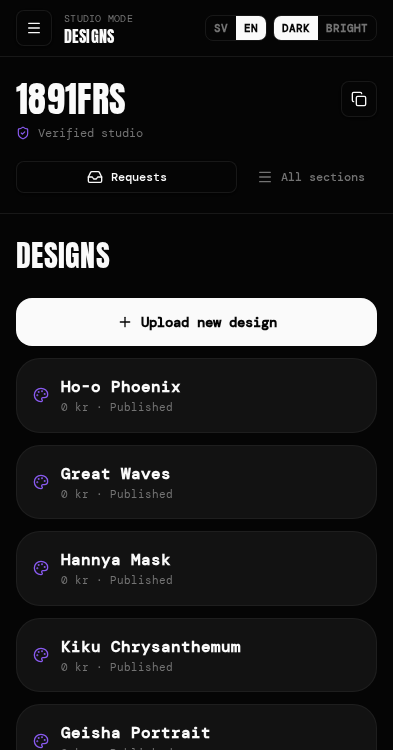
Make your artwork available to buy through the marketplace.
How it works
See how it fits a working studio.
A client explores size and placement.
The client discovers a studio.
An enquiry arrives with their idea.
The studio handles the conversation and booking.
Pricing & setup
What’s included. What it costs. How to start.
299 SEK/month
or 2,999 SEK/year, billed annually
5% on bookings and design sales.
Prices in SEK. Check full terms, including VAT, on the pricing page or when you contact us.
See full pricing and termsGet discovered in more places
Studio and artist profiles, gallery, marketplace presence and public information accessible to search engines and AI services.
Help clients choose with confidence
AR try-on for exploring size and placement, custom design enquiries, references and sketches.
Keep appointments organised
Client conversations, session scheduling, booking links, deposits, Google Calendar and team management.
Reduce manual administration
Studio notifications and Fortnox integration for supported transactions.
You tattoo. We’ll help with the setup.
We help you create your studio account, add your artists and work, and configure your booking availability.
You don’t need technical knowledge to get started.
Also included: Posture Pro for your studio.
Contact us and we’ll help you get your studio set up.
FAQ
Frequently asked questions
How can new clients find my studio?
Through your studio profile, work, location and tattoo styles on InkSimulator. Your public profile also gives search engines and AI services information they can use to discover and describe your studio.
Do I need to replace my website?
No. InkSimulator adds another way for people to find your work and contact you. It complements your existing website and social channels.
Can AI agents book with my studio?
Yes. When the agent is enabled for an approved studio, clients can find times and submit a booking through the studio's agent. They confirm their details and that they are at least 18. The booking is either confirmed immediately or awaits studio approval, depending on your settings. Other AI services can link to your booking page, but may not be able to complete the booking themselves.
Can I use InkSimulator with my existing clients?
Yes. They can explore size and placement before their visit and share a preview to help you discuss what they want.
How can this help clients feel happier with their tattoo?
It gives clients time to explore how the design looks on their body and discuss their preferences with you. That helps align expectations about size and placement before you begin.
How does 1:1 sizing work?
The AR experience uses calibration to display the design at its intended real-world size. Clients follow the calibration instructions in the app, and you confirm the final dimensions in person.
Does the preview replace stencil placement?
No. It helps clients explore their preferences beforehand. You confirm the final size, placement and suitability in the studio.
Can clients upload their own designs?
Yes. They can upload and preview a design, then discuss suitability and any changes with you.
Do I control appointment length?
Yes. You choose the number of sessions and their duration before sending the booking link.
Can multiple artists use the platform?
Yes. You can add artists and manage team access within your studio.
Does it connect to Google Calendar?
Yes. Connect Google Calendar so existing busy times are reflected in booking availability.
Can Fortnox integration reduce our bookkeeping costs?
It reduces manual entry for supported platform transactions. That saves processing time and may reduce costs if you pay an accountant for that work. Actual savings depend on your transaction volume and accounting arrangement.
Is Fortnox included in the price?
The integration is included. Your Fortnox subscription is purchased separately.
What does InkSimulator cost?
299 SEK per month or 2,999 SEK billed annually, plus 5% on bookings and design sales. See current pricing and full terms. See full pricing and terms
Help them find you. Help them feel sure. Make more time for tattooing.
From Think it to Ink it.
Give clients more ways to discover your studio. Help them prepare for a tattoo they’ll feel happy with. Keep the conversations, bookings and bookkeeping easier to manage.
More clients. Happier clients. Less admin.
We’ll help you get started.
InkSimulator is a tattoo discovery, AR try-on and studio management platform. Clients can explore tattoo size and placement on their own body, find studios and send enquiries. Studios can manage conversations, sketches, bookings and deposits, with Fortnox integration for supported payment transactions.
Back to top