Studio guide
InkSimulator for
tattoo studios
Hundreds of clients every week: they try designs in AR at true 1:1 scale — then send designs, booking requests and payments straight to your studio. Everything you need to know, click by click.
See pricing & commissions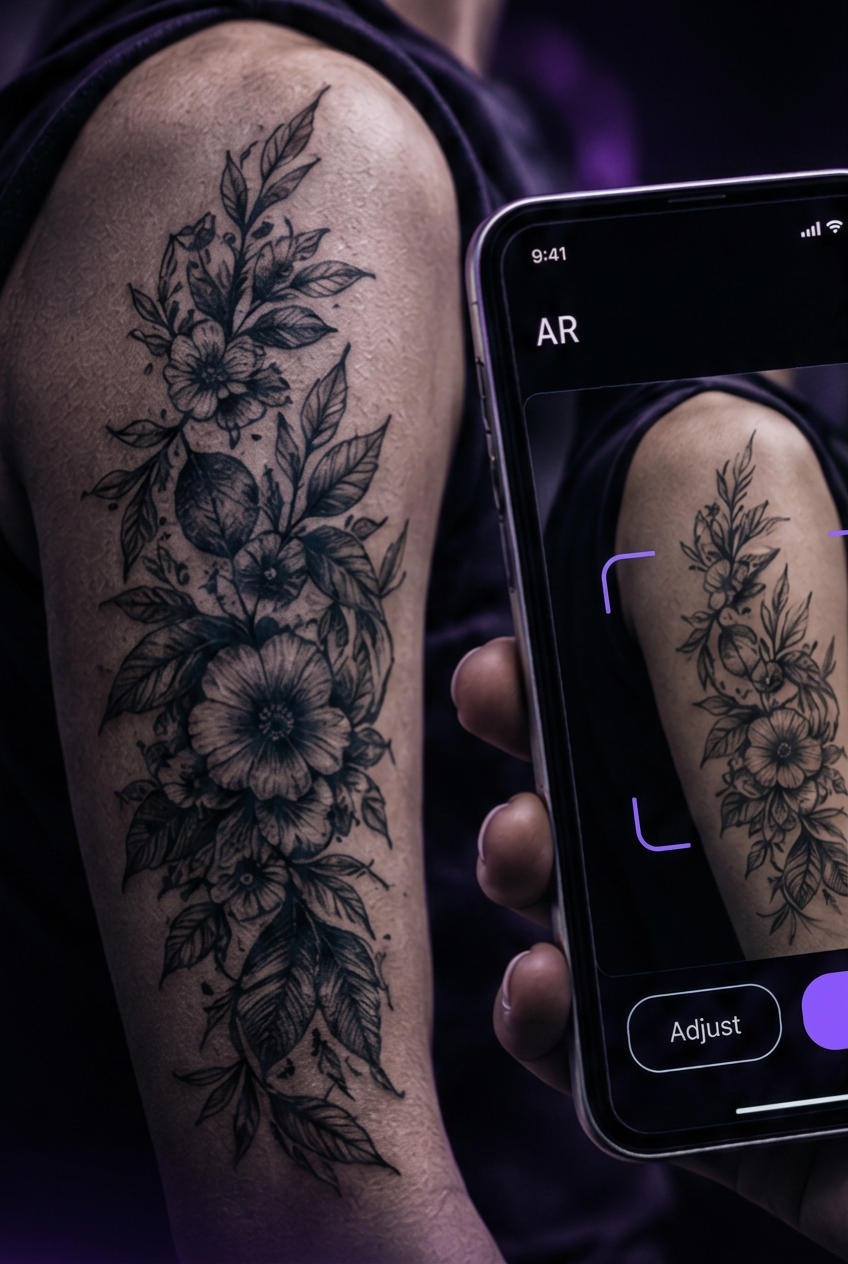
Included in your plan
Six tools that save you time and money — at no extra cost.
Client demandClients who already tried the design
Clients try designs on their skin in AR at 1:1 scale, then send their request with the preview straight to your studio.
All in one placeBookings, calendar & deposits
Approve bookings with number of sessions and duration, connect Google Calendar so busy times are blocked, and take deposits in the app.
Visibility & SEORank higher on search engines
You get your own studio profile on our .com domain with plenty of internal links and backlinks. That can help you rank higher on search engines like Google and be found by more people searching for a tattoo artist in your city. We can't promise a specific position — the search engines decide — but an active profile gives you more ways in.
Hear it instantlySMS notifications
New request? You get an SMS straight away. Choose email, SMS or both, and send a test SMS to be sure it works. You'll never miss a client — even when the panel is closed.
Save time & moneyFortnox integration — bookkeeping done for you
The Fortnox integration is included — the Fortnox subscription itself you buy from Fortnox. Connect your own Fortnox with one tap: deposits, tattoo payments and design sales are posted automatically to the accounts you choose, and InkSimulator's fee is recorded as a cost.
Worth 999 kr/yearPosture Pro included
Under Swedish law and the Swedish Work Environment Authority you must work proactively with the health environment at your workplace. InkSimulator helps you do it: Posture Pro is included in your plan and you sign in with the same credentials as the studio panel. Measure your posture with the camera on an iPad or computer, get exercise suggestions and a warning when your posture has been harmful for a longer time.
Why InkSimulator?
Clients can see the design on their own body before they get in touch.
- 01
Tried before booking
Clients try your designs on their own skin in AR, at exact scale, before booking.
- 02
One app, three revenues
Design sales, custom sketches and bookings in one app — studio plans from 299 kr/month (prices shown in SEK).
- 03
Found on the map
Clients find you by map, distance and style filters.
- 04
Bookkeeping & alerts included
The Fortnox integration and SMS notifications are included — your books stay up to date and every request reaches you instantly.
- 05
Your own profile on our .com domain
Your studio gets its own profile page with backlinks, which can help you rank higher on Google and other search engines.
- 06
Partner badge
You appear as a Partner. Verified studios get a trust badge.
Client flow — from try-on to booked slot
This is the journey for a client who finds your studio in the app.
- 1
The client tries designs in AR — from the library, your marketplace or their own sketch.
- 2
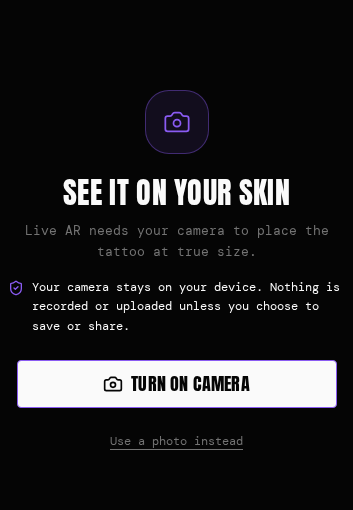
The design locks to the skin at 1:1 scale after calibration — size shown in centimetres.
- 3
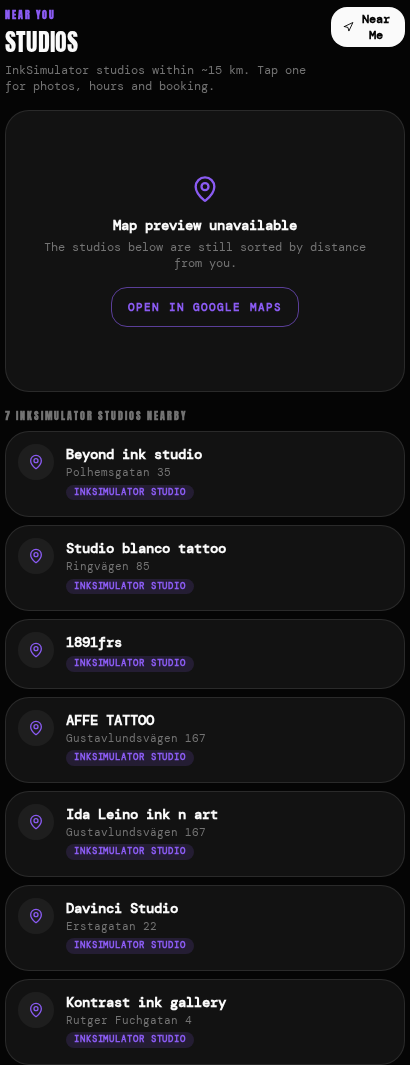
The client finds your studio under Community → Studios by map, distance and style.
- 4
The client sends the design, a message or a booking request to your inbox.
- 5
You reply with a calendar link, the client picks a time and pays a deposit in-app.
Everything you can do in the artist panel
The panel is split into tabs. Here's the overview — details below.
Sell designs
Upload designs to the library and marketplace. Clients buy in-app, you get paid per design.
Custom sketch projects
The client describes the idea, you create versions and send them back in-app. Our sketch tool is compatible with file formats from ProCreate and others.
Book sessions
Set sessions and minutes, send a calendar link. Booked slots block automatically.
Chat with clients
Clients send designs, questions and reference photos straight to your panel inbox.
Notifications
Get new requests by email, SMS or both — you choose in the panel.
3D-scanned body parts
Clients scan an arm or leg — the design wraps to the body shape.
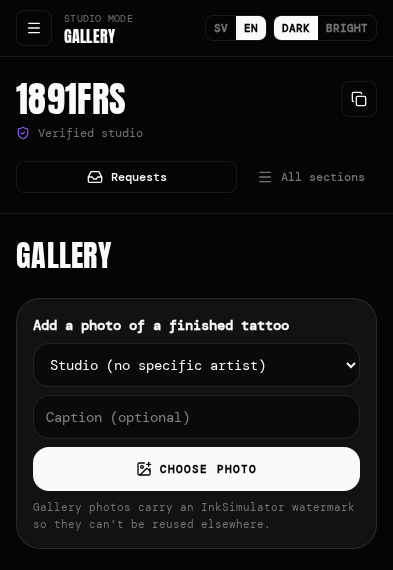
Studio gallery
Show your best work on your public profile.
Team & members
Add artists and control who has access.
Opening hours
Set hours, block slots and sync with Google Calendar.
Deals & pricing
Create deals, price designs and manage deposits. Run a flash deal on short notice if you get cancellations.
Fortnox integration
Connect your own Fortnox — payments and design sales are posted automatically. The integration is included; the Fortnox subscription comes from Fortnox.
Own profile & SEO
Your own studio profile on our .com domain with backlinks — can help you rank higher on Google.
Posture Pro
Included — worth 999 kr/year. Measure posture with the camera on an iPad or computer, get exercise suggestions and warnings when posture has been harmful for a longer time.
Get started
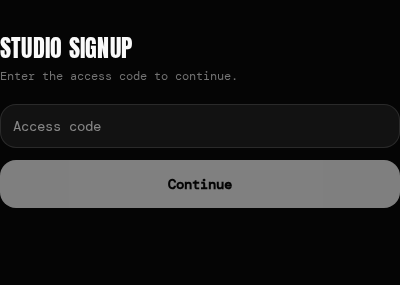
Accounts are always created by InkSimulator together with the studio. After that it takes a few minutes.
- 1
Get your account
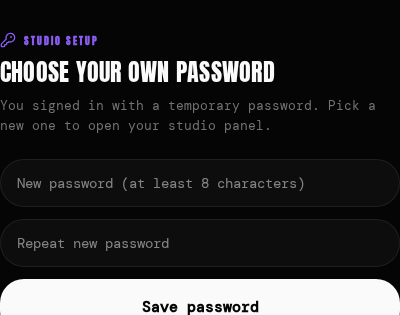
We register the studio account and give you an email and a temporary password.
- 2
First login
Go to inksimulator.com/artists → Log in. Use your email and the temporary password.
- 3
Choose your own password
You must set your own password (min. 8 characters). The panel then opens.
Forgot your password?
Tap Forgot password on the login page — you'll get a link by email.
Registration is handled by InkSimulator and never happens via a public page.
Profile, team & verification
A complete profile helps clients understand what you offer. All done under the profile tab.
- Studio name, tagline and description — tell about styles and price level.
- Logo — shown in search, chat and bookings. Change it any time.
- Address, city, phone, website and Instagram — optional but recommended.
- Map position is required for clients to find you via “near me”.
Team & members
Several artists can share one studio. Add them under team/members and control access.
Verification
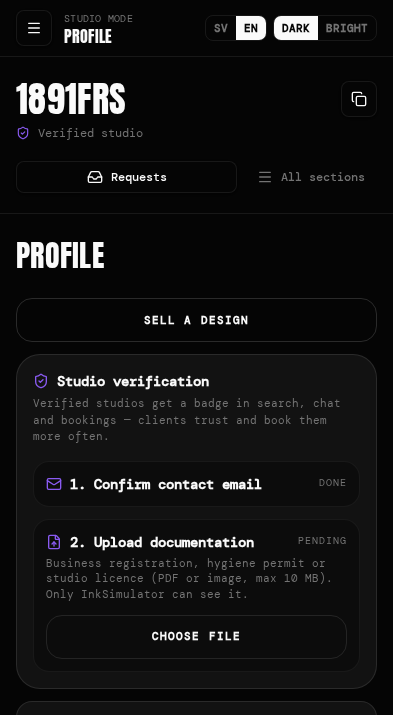
Confirm your email and upload documentation (e.g. hygiene certificate). Verified studios get a badge. Documents are seen only by InkSimulator.
Designs, gallery & deals
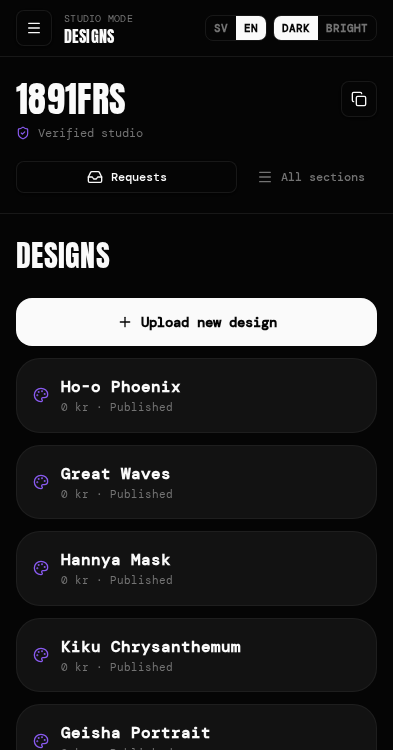
Three tabs for what you sell and show.
- designs
- Upload designs — set title, category (Japanese, Realistic, Blackwork…) and price. Clients buy in-app.
- gallery
- Upload photos of finished tattoos to your public profile.
- deals
- Create campaigns and package prices.
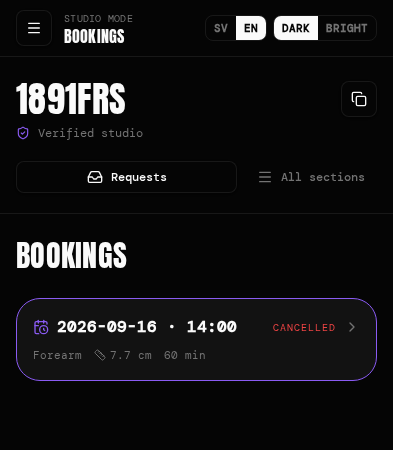
Bookings, calendar & messages
Full control of your time — no double bookings.
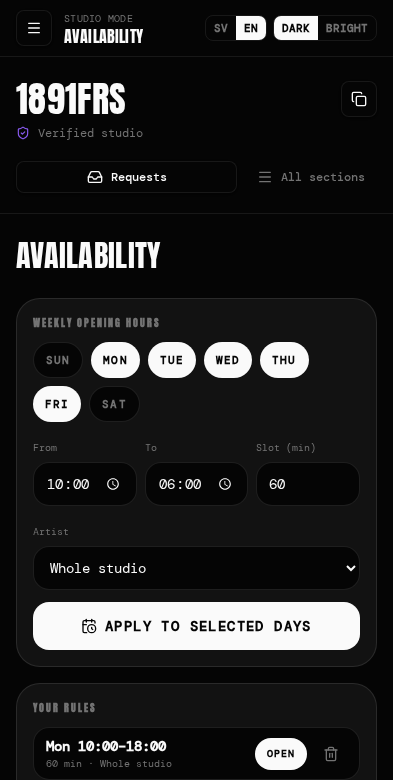
- hours
- Set opening hours and availability per day.
- calendar
- See all bookings and block slots right in the panel calendar.
- google calendar
- Connect your studio Google account in one click. Bookings sync and busy slots block automatically, so there are no double bookings.
- session length
- When you approve a request you pick the number of sessions (1–4) and hours per session (1–8). The calendar link the client gets uses that time.
- calendar link
- The client picks a free slot, pays a deposit and the slot is blocked.
- notifications
- Choose email, SMS or both. Add your mobile number with country code and send a test SMS to be sure it works.
- requests & chat
- All requests land in your inbox — reply directly in-app.
Frequently asked questions
Answers to common studio questions.
Does it cost anything?
299 kr/month or 2,999 kr/year paid upfront, plus 5% on bookings and designs. Commission helps cover card fees and certain accounting integrations. Prices shown in SEK.
Is Posture Pro included?
Yes — worth 999 kr/year at no extra cost. Measure your posture with the camera on an iPad or computer, get exercise suggestions and a warning when your posture has been harmful for a longer time. Swedish law requires proactive work-environment and health work.
Can we connect Fortnox?
Yes — the Fortnox integration is included and connects with one tap in the panel. The Fortnox subscription itself comes from Fortnox. Deposits, tattoo payments and design sales are posted automatically.
Will you help us show up on Google?
You get your own studio profile on our .com domain with plenty of backlinks. That can help you rank higher on Google and other search engines — but we can't promise a specific position, the search engines decide.
Does the client need a photo?
No. Clients can contact your studio and send a booking request without a photo.
Can artists share a studio?
Yes, add them under team/members in the panel.
Who sees our documents?
Only InkSimulator. Documents are not public.
Ready to get started?
Contact us and we'll help set up your studio account.